Claude Code + iMessage Integration Released: AI on iPhone
Claude Code now takes commands over iMessage, letting you text your AI assistant from your iPhone and have it actually do things on your machine. @nateherk's video <a href="https://youtube.com/watch?v=H7QQTvL_FOw">Claude Code + iMessage is Finally Here..</a> walks through the new integration, which joins existing channels like Telegram and Discord. In the demo, a single text message triggers a full YouTube comment analysis — Claude Code pulls the data, runs it through a local skill, and texts the results back. Setup apparently takes just a few commands, which is either genuinely easy or famous last words.
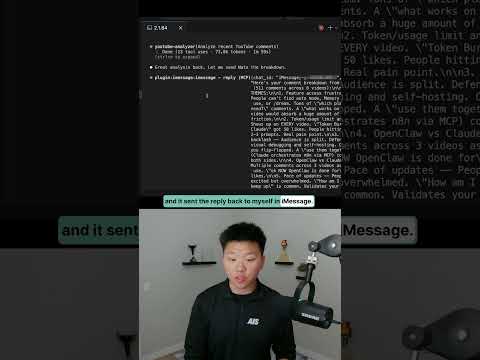
Text Message as Terminal Input
When iMessage delivers a command to Claude Code, the AI treats it identically to something typed directly into a local terminal — same skills, same file access, same API keys.
That's the useful part. You're not pushing buttons on a remote toy; you're essentially running your own machine from your phone.
YouTube Comment Analysis Demo
In @nateherk's Claude Code + iMessage is Finally Here.. demo, a text asking for a YouTube comment breakdown triggers Claude Code's YouTube analyzer skill, which returns a structured report covering recurring themes, the most-requested video topics, and standout individual comments.
It's a decent stress test — the task requires hitting an external API, processing unstructured text, and formatting output clearly enough to read in iMessage.
iMessage Joins Telegram and Discord
Claude Code already supported Telegram and Discord as external command channels; iMessage is the newest addition, and the one most iPhone users have open by default anyway.
For Apple users who never set up Telegram specifically to talk to an AI assistant, the barrier just got lower.
Setup and AI-Assisted Configuration
According to the video, getting the iMessage channel running takes only a handful of commands — no elaborate bridging setup required.
Better still, you can hand Claude Code a link to the integration documentation and it'll walk you through the install itself, including dependencies like bun, which is either convenient or a reasonable way to avoid reading docs on a Friday afternoon.
Our Analysis: Nate gets the demo right — watching Claude Code pull YouTube comments via an iMessage text is genuinely impressive, and the setup friction is low enough that regular people might actually use it.
This fits the broader push to make AI agents ambient — not locked inside an app, but reachable wherever you already are. iMessage just happens to be where most Apple users live.
The real unlock isn't iMessage specifically — it's that Claude Code is becoming a background process you can poke from anywhere. That's the shape of how personal AI actually gets adopted.
Worth thinking about what that actually means in practice. Right now, the people building these setups are developers — comfortable with bun installs, API keys, and reading documentation on a Friday afternoon or not. But the iMessage angle is interesting precisely because it narrows the gap between "person who can set this up" and "person who would actually benefit from it." Most productivity tools live in that gap forever. The ones that escape it tend to be the ones that meet people inside software they already have open.
There's also something underappreciated about the trust model here. When Claude Code runs a skill on your local machine in response to a text, it's doing so with your credentials, your file access, your context. That's powerful, but it also means the security surface is your phone's lock screen and whoever has your iMessage. That's not a dealbreaker — it's the same implicit trust model as SSH keys on a laptop — but it's the kind of thing worth being clear-eyed about before you wire up anything sensitive.
The multi-channel approach — Telegram, Discord, iMessage — also suggests the right framing isn't "iMessage support" but rather "Claude Code as a persistent local agent with multiple input surfaces." The channel is almost incidental. What matters is that the agent is always running, always credentialed, and increasingly reachable. That's a genuinely different relationship with a personal AI than opening an app and typing a prompt.
Source: Based on a video by @nateherk — Watch original video
This article was generated by NoTime2Watch's AI pipeline. All content includes substantial original analysis.
Related Articles
Paperclip AI Tool: Turn Claude Code Into an Agent Company
A new open-source tool called Paperclip lets you run an entire AI-driven company from a single dashboard, with minimal human input required. Nate Herk of Nate Herk | AI Automation broke it down in his video 'This One Tool Turns Claude Code Into an Entire Agent Company,' showing how the platform orchestrates intelligent agents in AI roles — CEO, marketer, engineer — while the user just sets goals and watches the thing run. It's free, it's on GitHub, and it's gaining traction fast among people who'd rather manage a board meeting than a Slack channel.
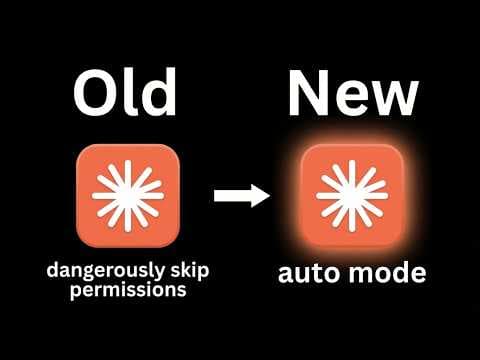
Cloud Code Auto Mode: Stop Bypass Permissions
Claude's Cloud Code has a new 'auto mode' that handles permissions on its own, and @nateherk's video 'STOP Using Bypass Permissions, Use This New Feature Instead' breaks down why it matters. Until now, developers were stuck choosing between constant approval prompts that killed their workflow or a full permission bypass that let the AI do basically anything unchecked — neither great. Auto mode sits in the middle, classifying each action for risk before running it, so safe stuff executes quietly and sketchy stuff gets flagged. It's in research preview and currently limited to Team plan subscribers.
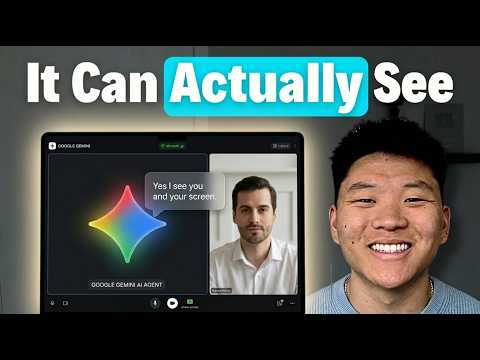
Gemini 3.1 Flash Live: The Future of Voice Agents
Google's Gemini 3.1 Flash Live ditches the old speech-to-text-to-speech pipeline in favor of direct audio processing, and according to @nateherk's breakdown in 'Gemini 3.1 Flash Live Just Changed Voice Agents Forever,' the difference is noticeable. The model posts a 19% improvement in multi-step function calling over its predecessor, handles noisy real-world environments well, and is already free to test in Google AI Studio. There are rough edges — it goes silent mid-conversation while executing functions — but the overall package is a genuine step forward for anyone building voice agents.