Cloud Code Auto Mode: Stop Bypass Permissions
Claude's Cloud Code has a new 'auto mode' that handles permissions on its own, and @nateherk's video 'STOP Using Bypass Permissions, Use This New Feature Instead' breaks down why it matters. Until now, developers were stuck choosing between constant approval prompts that killed their workflow or a full permission bypass that let the AI do basically anything unchecked — neither great. Auto mode sits in the middle, classifying each action for risk before running it, so safe stuff executes quietly and sketchy stuff gets flagged. It's in research preview and currently limited to Team plan subscribers.
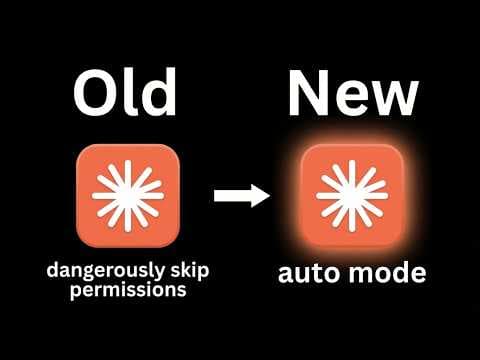
The Old Options Were Both Bad
Cloud Code's previous permission setup gave you two modes: 'ask before edits,' which interrupts automation constantly for human sign-off, and 'dangerously skip permissions,' which — as the name suggests — just lets the AI run wild.
Some developers landed on a middle-ground workaround: a local settings file with a custom allow list and deny list per project, per @nateherk's STOP Using Bypass Permissions, Use This New Feature Instead. It worked, but manually wiring up permissions for every new project isn't something that scales.
How Auto Mode Actually Works
Auto mode classifies each tool call for destructive potential before executing it — not after, which is the part that matters.
Safe actions, like moving a file, run without interruption. Riskier ones, like deleting brand assets, trigger a confirmation prompt. According to @nateherk's demo, the system also flags prompt injection attempts before they can do damage.
It's Smarter, Not Foolproof
The classification step adds a small cost to each operation — you're running an extra check on every action, so it's slightly more expensive than the old bypass mode.
@nateherk is clear that auto mode reduces risk, it doesn't eliminate it. The recommendation is to run it in an isolated environment, because the system can still get a call wrong.
Availability
Auto mode is currently in research preview and only available to Cloud Code Team plan users, with broader rollout planned. Organizations can enable it through their settings, in roughly the same place where the old bypass permissions lived.
Our Analysis: Nate gets it right — 'dangerously skip permissions' was always a disaster waiting to happen, and auto mode is a sensible middle ground. The real story here is that AI dev tools are quietly becoming their own security layer, not just productivity boosters.
This fits a broader shift where AI agents need tiered trust models, not binary on/off switches — same pressure driving debates in agentic frameworks everywhere.
Team-plan-only access is smart for a research preview, but the teams most likely to misuse blanket bypasses are exactly the ones who won't pay for it.
There's also a deeper question worth sitting with: who decides what counts as 'risky'? The classification model is doing real interpretive work here — it's not just pattern matching against a static blocklist. That's powerful, but it means the trust you're placing in auto mode is ultimately trust in Anthropic's judgment about what constitutes a dangerous action. For most teams, that's probably fine. For security-sensitive orgs with unusual workflows, it's worth pressure-testing those assumptions before you lean on it hard.
The prompt injection flagging is the detail that deserves more attention than it's getting. Injection attacks are one of the nastiest threat vectors for AI agents operating in real environments — a malicious instruction buried in a file or a webpage can redirect an agent in ways the user never intended. If auto mode is genuinely catching those at the classification layer rather than after the fact, that's a meaningful architectural choice, not just a UX improvement. It suggests the permission model is being designed with adversarial inputs in mind from the start, which is exactly the right instinct.
The cost tradeoff is real but easy to overstate. Yes, every action now carries a classification overhead. In practice, for most development workflows, that's a rounding error compared to the cost of a single bad deletion or an undetected injection. The teams who will feel it are the ones running high-frequency, high-volume automated pipelines — and those are also the teams who most need to think carefully about what they're automating in the first place.
Bottom line: auto mode isn't a silver bullet, and @nateherk is right to caveat it that way. But it's the first permission model for an AI coding tool that feels like it was designed by people who've actually thought about how these systems get misused — and that's worth something.
Source: Based on a video by @nateherk — Watch original video
This article was generated by NoTime2Watch's AI pipeline. All content includes substantial original analysis.
Related Articles

Paperclip AI Tool: Turn Claude Code Into an Agent Company
A new open-source tool called Paperclip lets you run an entire AI-driven company from a single dashboard, with minimal human input required. Nate Herk of Nate Herk | AI Automation broke it down in his video 'This One Tool Turns Claude Code Into an Entire Agent Company,' showing how the platform orchestrates intelligent agents in AI roles — CEO, marketer, engineer — while the user just sets goals and watches the thing run. It's free, it's on GitHub, and it's gaining traction fast among people who'd rather manage a board meeting than a Slack channel.

Gemini 3.1 Flash Live: The Future of Voice Agents
Google's Gemini 3.1 Flash Live ditches the old speech-to-text-to-speech pipeline in favor of direct audio processing, and according to @nateherk's breakdown in 'Gemini 3.1 Flash Live Just Changed Voice Agents Forever,' the difference is noticeable. The model posts a 19% improvement in multi-step function calling over its predecessor, handles noisy real-world environments well, and is already free to test in Google AI Studio. There are rough edges — it goes silent mid-conversation while executing functions — but the overall package is a genuine step forward for anyone building voice agents.

Claude Code Memory 2.0: Anthropic's AutoDream Explained
Anthropic has shipped an experimental feature for Claude Code called AutoDream, a background memory consolidation system that periodically organizes and prunes Claude's context files to keep interactions sharp over time. @nateherk breaks it down in 'Claude Code Just Dropped Memory 2.0' — and it's genuinely one of the more interesting things to land in AI tooling recently. The short version: Claude now basically sleeps on your project, trims the fat from its memory files, and wakes up less confused about who you are and what you're building.