Gemini 3.1 Flash Live: The Future of Voice Agents
Google's Gemini 3.1 Flash Live ditches the old speech-to-text-to-speech pipeline in favor of direct audio processing, and according to @nateherk's breakdown in 'Gemini 3.1 Flash Live Just Changed Voice Agents Forever,' the difference is noticeable. The model posts a 19% improvement in multi-step function calling over its predecessor, handles noisy real-world environments well, and is already free to test in Google AI Studio. There are rough edges — it goes silent mid-conversation while executing functions — but the overall package is a genuine step forward for anyone building voice agents.
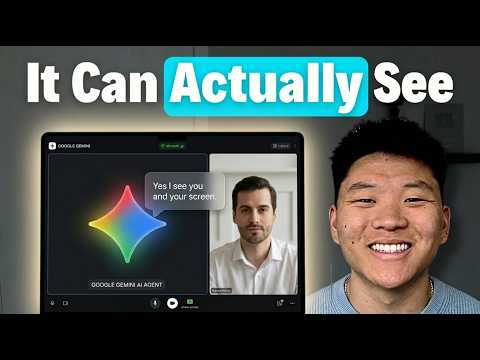
Speech-to-Speech, Not the Old Pipeline
Previous voice AI systems were basically two models duct-taped together: one to transcribe what you said, another to read the response back out loud.
Gemini 3.1 Flash Live processes audio directly, which cuts latency and, more interestingly, lets it pick up on things transcription would strip out — sarcasm, stressed words, someone clearly calling from a moving car.
Benchmark Numbers Worth Knowing
In Gemini 3.1 Flash Live Just Changed Voice Agents Forever, @nateherk runs through the numbers: the model posts a 19% gain in multi-step function calling over Gemini 2.5 Flash and beats competitors on audio multi-challenges — tasks requiring the model to handle several audio-based problems simultaneously.
It also supports over 70 languages with real-time translation, which opens up customer-facing deployments that would have needed separate localization work before.
What It Can Actually Do Right Now
The demos in the video show an agent managing calendar entries, answering product questions on an e-commerce site, and handling voice-controlled coding commands — zooming, switching backgrounds — without touching a keyboard.
Vision is in the mix too, so the agent can process what it sees on screen alongside what it hears, which starts to look less like a chatbot and more like a hands-free interface for your whole OS.
There's one real friction point: the agent pauses and goes quiet while a function is running, which breaks conversational flow in a way that's hard to miss. It's a synchronous execution issue and the expectation is it gets fixed, but it's noticeable today.
Building With It and What It Costs
Google AI Studio lets you spin up a custom voice agent for free — pick a personality, write system instructions, give it a Scottish accent if that's your thing — which is a reasonable sandbox for prototyping.
For anything production-grade, you'll want a paid API key for proper privacy guarantees and higher rate limits. Embedding the agent into a live website also involves websocket handling, which is more involved than it sounds, though @nateherk points out that feeding the API docs into an AI coding assistant like Cloud Code makes that process significantly less painful.
Our Analysis: Nate nails the core shift — ditching the STT/TTS pipeline for true speech-to-speech is the real story here, not just another voice demo. The sarcasm and stress detection alone makes every previous voice assistant feel like it was reading a transcript in a dark room.
This connects to a broader push to kill the keyboard as the default human-computer interface — vision plus voice plus tool-calling is a serious combo.
The awkward pause during function execution is a real UX crack though — whoever solves parallel processing while the agent 'thinks' wins the voice agent race.
What's worth underlining beyond the video: the 70-language real-time translation capability is quietly one of the bigger deals in this release. Most voice agent deployments today are effectively English-first by default, with localization bolted on as an afterthought. A model that handles translation natively at inference time doesn't just reduce engineering overhead — it changes the economics of going global for smaller teams who couldn't justify the localization budget before.
The free tier in AI Studio is also a genuinely smart distribution move. Getting developers to build muscle memory around your tooling before they hit a billing threshold is how you lock in the ecosystem. The websocket complexity is a real barrier to entry, but @nateherk's point about AI coding assistants eating that friction is well-taken — the hard parts of integration are getting softer fast, which accelerates the timeline for production deployments landing in the wild.
The bigger picture: voice as a primary interface has been promised for a decade and kept failing on the small stuff — background noise, latency, not understanding that you're being sarcastic. Gemini 3.1 Flash Live doesn't solve all of that, but it's the first release in a while where the failure modes feel like engineering problems with clear solutions rather than fundamental limitations of the approach.
Source: Based on a video by @nateherk — Watch original video
This article was generated by NoTime2Watch's AI pipeline. All content includes substantial original analysis.
Related Articles
Paperclip AI Tool: Turn Claude Code Into an Agent Company
A new open-source tool called Paperclip lets you run an entire AI-driven company from a single dashboard, with minimal human input required. Nate Herk of Nate Herk | AI Automation broke it down in his video 'This One Tool Turns Claude Code Into an Entire Agent Company,' showing how the platform orchestrates intelligent agents in AI roles — CEO, marketer, engineer — while the user just sets goals and watches the thing run. It's free, it's on GitHub, and it's gaining traction fast among people who'd rather manage a board meeting than a Slack channel.
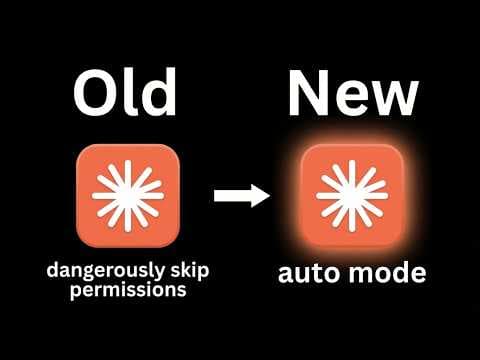
Cloud Code Auto Mode: Stop Bypass Permissions
Claude's Cloud Code has a new 'auto mode' that handles permissions on its own, and @nateherk's video 'STOP Using Bypass Permissions, Use This New Feature Instead' breaks down why it matters. Until now, developers were stuck choosing between constant approval prompts that killed their workflow or a full permission bypass that let the AI do basically anything unchecked — neither great. Auto mode sits in the middle, classifying each action for risk before running it, so safe stuff executes quietly and sketchy stuff gets flagged. It's in research preview and currently limited to Team plan subscribers.
Claude Code Memory 2.0: Anthropic's AutoDream Explained
Anthropic has shipped an experimental feature for Claude Code called AutoDream, a background memory consolidation system that periodically organizes and prunes Claude's context files to keep interactions sharp over time. @nateherk breaks it down in 'Claude Code Just Dropped Memory 2.0' — and it's genuinely one of the more interesting things to land in AI tooling recently. The short version: Claude now basically sleeps on your project, trims the fat from its memory files, and wakes up less confused about who you are and what you're building.