Claude Code on iMessage: Text Your MacBook, Get Work Done
Claude Code can now take orders over iMessage, letting you text your MacBook like it's an intern who actually does stuff. Anthropic quietly shipped the feature via its 'Channels' system, and @nateherk just dropped a hands-on video — 'Claude Code + iMessage is Finally Here' — walking through setup, a live YouTube comment analysis demo, and the security trade-offs you'll want to know about before handing your terminal a phone number.
What It Actually Does
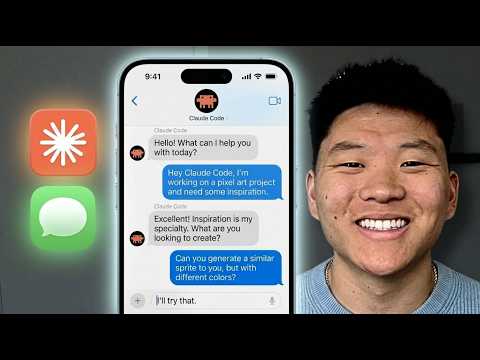
You text a command from your iPhone, Claude Code picks it up on your Mac, runs whatever local workflow you've set up, and texts you back with results — signed off as 'sent by claude,' which is either charming or unsettling depending on your afternoon.
In @nateherk's demo, a single text triggers a local YouTube analyzer that scrapes hundreds of comments and returns a sentiment breakdown, surfacing things like 'token usage limit anxiety' among viewers. Real data, real output, no touching the laptop.
How Channels Works
The iMessage hook runs through a Claude Code feature called Channels, which punches a tunnel between external apps — iMessage, Discord, Telegram — and your local terminal session.
The catch is that 'local' means exactly that: the Mac has to be on, and the terminal session has to stay open. Kill the lid or close the window and the remote connection drops until you manually restart it, which puts a ceiling on how autonomous this actually gets.
Full Disk Access Required
Setup is a few terminal commands and a plugin install, but before any of it works remotely, you'll need to go into Privacy and Security settings and hand your terminal — or VS Code — Full Disk Access.
That's broad, intentional system-level permission, because the AI needs deep file access to execute commands properly. @nateherk also shows how to bypass local permission prompts remotely by just texting 'yes' from your phone, which is convenient and also the kind of thing worth thinking about for about thirty seconds before enabling.
Enterprise Access and the Broader Toolset
Enterprise users won't see this out of the box — admins have to manually flip the Channels toggle in org settings, since it's still tagged as a research preview by Anthropic.
It's also worth knowing where iMessage Channels sits inside Anthropic's broader remote access stack: Dispatch handles message-based task delegation, Channels covers event-driven interaction with external chat platforms, and Remote Control is for directly steering an active AI session in real time. Different tools, different use cases — iMessage lands in the Channels bucket because it's event-driven rather than persistent.
Watch the full walkthrough in Claude Code + iMessage is Finally Here. by @nateherk for the complete setup guide and live demo.
Our Analysis: Herk nails the demo but glosses over the elephant in the room — granting Full Disk Access to an AI you're controlling via iMessage is a serious attack surface, and that deserves more than a footnote.
This fits the broader push toward "ambient AI" — agents that run persistently in the background and respond to natural language from anywhere, not just a chat window in front of you.
The "research preview" label on the iMessage channel is doing a lot of work here; expect enterprise teams to pressure Anthropic hard on this once they see what's possible.
What's worth sitting with longer is the threat model that nobody in the demo stops to fully map out. iMessage accounts can be compromised. Phones get stolen. If someone with access to your Apple ID sends a well-crafted text to your Mac, they're not just reading files — they're executing commands with Full Disk Access permissions. That's a meaningful escalation from what most people associate with a messaging app vulnerability. The 'yes' bypass for permission prompts makes the workflow frictionless in exactly the way that makes security teams sweat.
There's also a subtler question about where accountability lands when something goes wrong. Traditional automation tools have audit logs, rollback mechanisms, and defined failure states. A terminal session taking instructions from a chat thread is a much murkier environment — and the always-on requirement (machine awake, terminal open) means users will start leaving sessions running indefinitely just to keep the feature useful, which compounds the exposure window.
None of this makes the feature not worth using. It makes it worth understanding fully before enabling, which is a higher bar than the setup video alone clears. The gap between 'this is impressive' and 'this is ready for my daily workflow' is exactly where NoTime2Watch earns its keep.
Source: Based on a video by @nateherk — Watch original video
This article was generated by NoTime2Watch's AI pipeline. All content includes substantial original analysis.
Related Articles
Paperclip AI Tool: Turn Claude Code Into an Agent Company
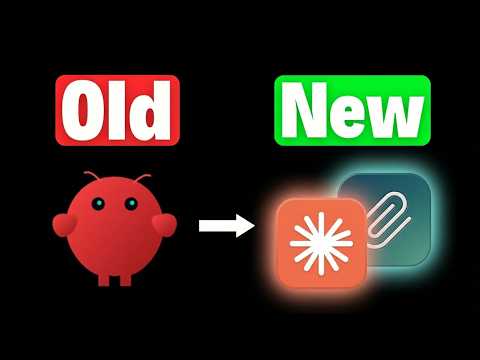
A new open-source tool called Paperclip lets you run an entire AI-driven company from a single dashboard, with minimal human input required. Nate Herk of Nate Herk | AI Automation broke it down in his video 'This One Tool Turns Claude Code Into an Entire Agent Company,' showing how the platform orchestrates intelligent agents in AI roles — CEO, marketer, engineer — while the user just sets goals and watches the thing run. It's free, it's on GitHub, and it's gaining traction fast among people who'd rather manage a board meeting than a Slack channel.
Cloud Code Auto Mode: Stop Bypass Permissions
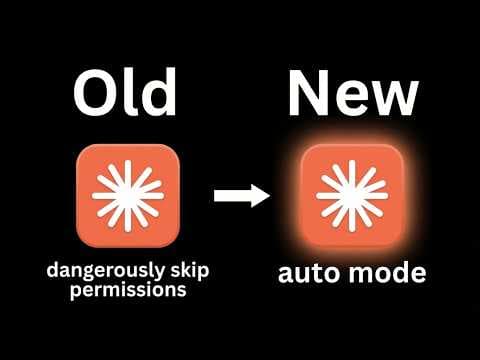
Claude's Cloud Code has a new 'auto mode' that handles permissions on its own, and @nateherk's video 'STOP Using Bypass Permissions, Use This New Feature Instead' breaks down why it matters. Until now, developers were stuck choosing between constant approval prompts that killed their workflow or a full permission bypass that let the AI do basically anything unchecked — neither great. Auto mode sits in the middle, classifying each action for risk before running it, so safe stuff executes quietly and sketchy stuff gets flagged. It's in research preview and currently limited to Team plan subscribers.
Gemini 3.1 Flash Live: The Future of Voice Agents
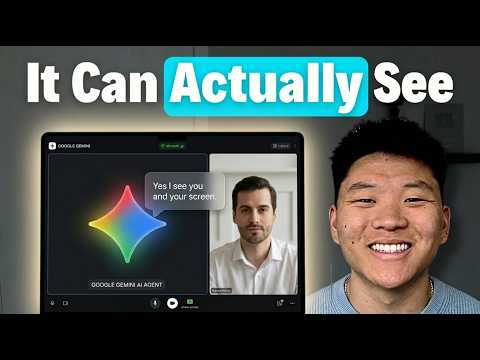
Google's Gemini 3.1 Flash Live ditches the old speech-to-text-to-speech pipeline in favor of direct audio processing, and according to @nateherk's breakdown in 'Gemini 3.1 Flash Live Just Changed Voice Agents Forever,' the difference is noticeable. The model posts a 19% improvement in multi-step function calling over its predecessor, handles noisy real-world environments well, and is already free to test in Google AI Studio. There are rough edges — it goes silent mid-conversation while executing functions — but the overall package is a genuine step forward for anyone building voice agents.